
HomeUse CasesAdvanced Vector & Raster Analysis
Full demo

Advanced Vector & Raster Analysis

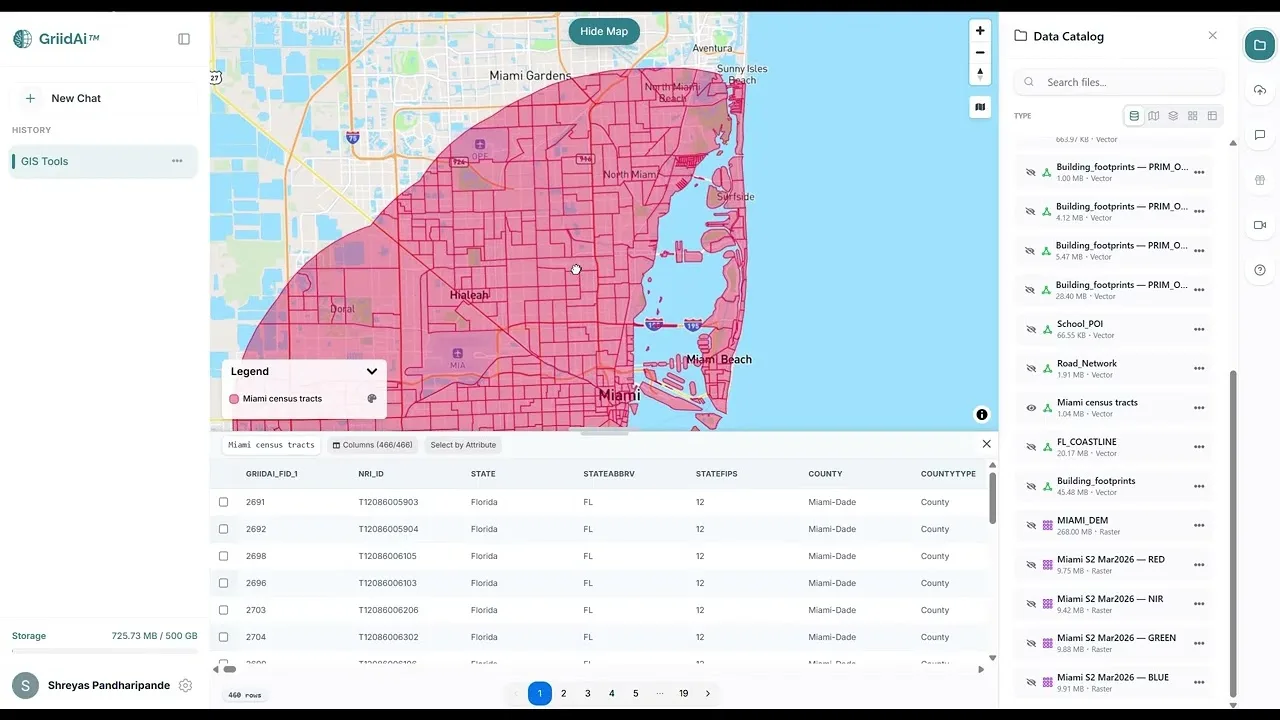
Explore one complete demonstration covering vector operations, satellite imagery, NDVI, coastline proximity and building-level elevation.

Video thumbnail: Advanced Geospatial Analysis Without Coding | GriidAI Demo (Vector & Raster Workflows)
Full demoEnglish video

How can vector and raster analysis work together in one reviewable GIS process?

This walkthrough brings building footprints, roads, census tracts, elevation and Sentinel-2 imagery into a single GIS demonstration. It shows how attribute inspection, spatial relationships and raster processing can be combined without treating each operation as a separate application.

The same video covers NDVI and false-color imagery, building distance to a coastline, and mean elevation within building footprints. These are different analytical tasks within the original demonstration, presented together here.

Topics in this video

Vegetation Analysis with NDVI

Calculate NDVI from satellite bands and inspect vegetation patterns within a broader raster-analysis demonstration.

Building Proximity to the Coastline

Use near-distance analysis to add coastal-proximity evidence to building records.

Building-Level Elevation Analysis

Summarize a digital elevation model by building using zonal statistics.

Source video

Watch the example

Full demo

Advanced Geospatial Analysis Without Coding | GriidAI Demo (Vector & Raster Workflows)

Watch on YouTube (opens in a new tab)

From question to analysis

Data and inputs

  • Building footprints, roads, census tracts and a coastline layer
  • A digital elevation model and Sentinel-2 imagery
  • Compatible coordinate systems, attribute definitions and a study boundary

Analysis described in the video

  1. Explore the source attributes and prepare the vector and raster inputs.
  2. Apply vector operations such as buffers, clipping, selection and spatial joins.
  3. Inspect raster tasks including masking, NDVI, false-color composites and reclassification.
  4. Review proximity and zonal-statistics outputs alongside the source layers.

Understand the output

Outputs described

  • Mapped vector and raster results from the combined demonstration
  • NDVI and supporting imagery visualizations
  • Coastal-distance and building-level elevation attributes

What to review

  • Check coordinate systems, raster alignment, distance and elevation units.
  • Review imagery dates, spectral bands, clouds and missing pixels.
  • Interpret proximity, terrain summaries and vegetation indices according to their individual methods.